

An incorrect block model bearing can distort reserve calculations and mine scheduling. Misaligned blocks can overlap, leave gaps and assign material to the wrong blast. Check the block model visually and confirm its bearing before using the reserves in a schedule.
Over the years, I have frequently encountered schedules where an incorrect bearing was applied to the block model, often discovered only after the schedule was completed. What appears to be a minor setup error can lead to inaccurate reserves, scheduling errors and substantial rework. It is an issue that deserves attention before planning begins.
This article explains what an incorrect block bearing looks like, how it affects reserve calculations, and why gap filling can make the problem harder to detect.
What is block model bearing?
Block model bearing defines the rotation of each block around the vertical Z-axis. The bearing applied in the planning software needs to match the source block model.
In some cases, the imported block model does not include a bearing field, leaving the engineer to assign the correct value. In others, the field exists but has been set incorrectly during export or recorded with insufficient decimal precision.
Coordinate precision is a separate consideration when importing rotated block models. In Block Model Knowledge for Mining Engineers, Julian Poniewierski explains how insufficient precision in block centroid coordinates can create overlaps and gaps. I recommend the paper to anyone working with block models in mine planning.
Whether the problem comes from an incorrect bearing or the precision of imported data, block misalignment can affect reserve calculations and the schedules built from them.
How can you identify an incorrect block bearing?
Start with a visual inspection of the block model. Look for overlapping blocks, unexpected gaps and cells that do not align with their neighbours.
In Alastri, open the Design tab and enable the Blocks visibility control shown in Figure 1. Other mine planning and scheduling packages offer similar ways to display the block model.
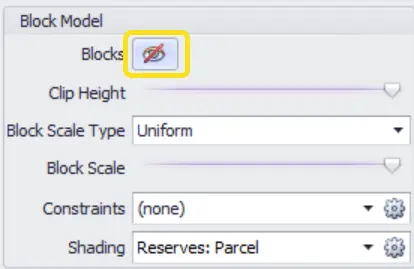
When the bearing is incorrect, individual blocks can overlap and leave voids between them. These are reasons to investigate the model setup and correct any bearing error before proceeding with reserve calculations.
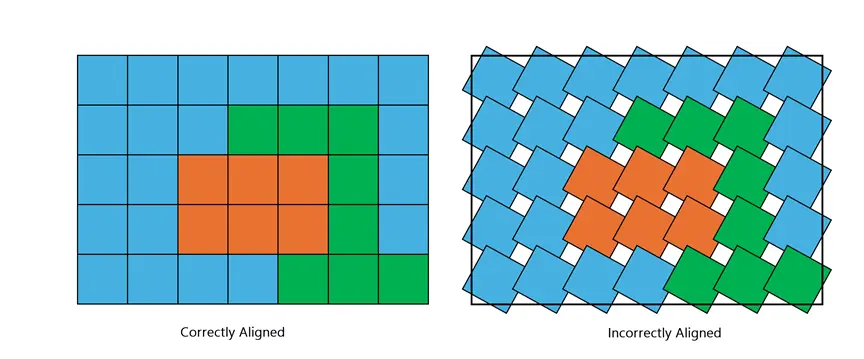
Figure 2 compares the two configurations. A large bearing error is usually easy to see. Smaller errors, including those associated with insufficient decimal precision, can be much less obvious while still affecting the model and downstream calculations. A visual check is a useful starting point, but it should be supported by confirming the bearing and imported data against the source model.
How does incorrect block bearing affect reserve calculations?
Incorrect bearing can change both the calculated reserve volume and the material assigned to a blast. In Alastri, reserves are calculated from the volumes of block model cells falling within a defined solid. Misaligned cells can therefore affect the result in two ways:
- The calculated volume may be less than or greater than the physical volume of the solid.
- Material that does not spatially belong within a blast may be incorrectly included in that blast’s reserves.
The simplified example in Figure 3 shows material from Blast 1 overlapping into Blast 2, and vice versa. The incorrect bearing changes how material is allocated across the blast boundary.
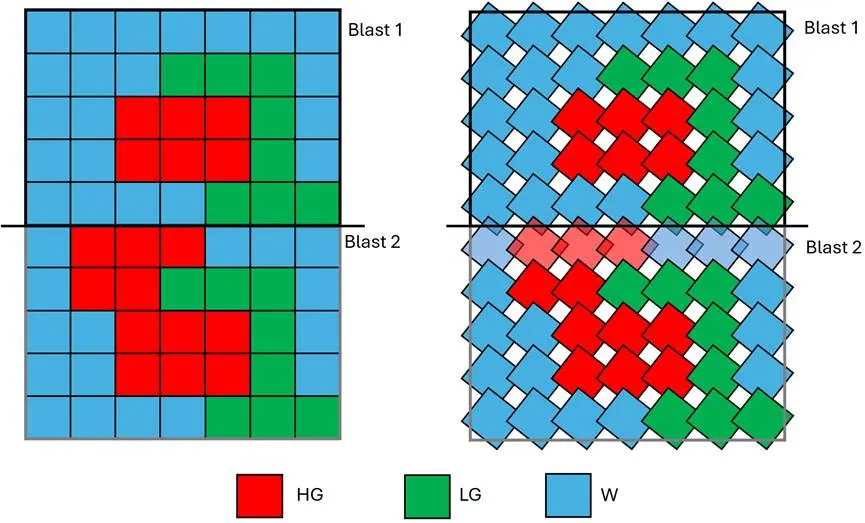
In this example, Blast 2 reports less high-grade (HG) material than expected, while Blast 1 reports more HG material than it should. Low-grade (LG) and waste (W) quantities are also affected.
Because these reserve figures feed directly into the mine schedule, incorrect material allocation can carry through to scheduling outcomes and planning decisions.
Can gap filling hide a block bearing error?
Yes. Gap filling can make a reserve-volume comparison appear correct without correcting the underlying block misalignment.
Alastri’s Gap Filling feature accounts for volume inside solids that is not occupied by the block model. When enabled, it fills that unoccupied volume with a configured material, typically waste. Other mine planning and scheduling packages may offer similar functionality.
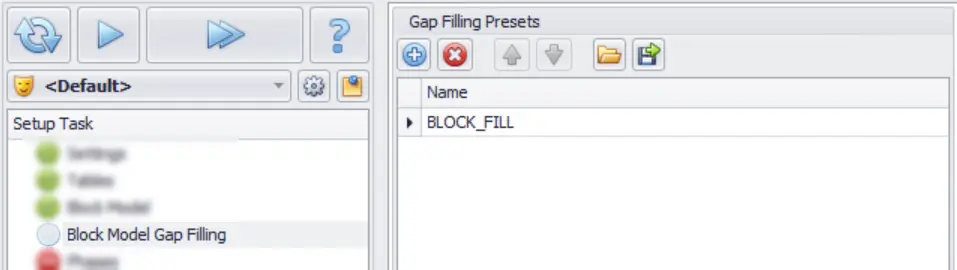
If an incorrect bearing creates gaps, gap filling can compensate for the unoccupied volume with the selected fill material. This can create a false sense of accuracy when reviewing volume reports.
A match between the reported reserve volume and the physical solid volume does not, by itself, confirm that the blocks are aligned or that the correct material has been assigned to each blast. Gap filling does not correct the block bearing or restore the original material allocation.
Check block model bearing before scheduling begins
Discovering an incorrect bearing after scheduling has started can mean revising reserves and reworking the plan. The earlier the error is found, the less disruption it causes.
Before using a block model for scheduling:
- Confirm the bearing against the source model, including any value assigned during import.
- Inspect the displayed blocks for overlaps, unexpected gaps and misalignment.
- Check export and import precision for the bearing and, separately, the coordinates of rotated models.
- Review gap-filling settings rather than relying on matching volume totals alone.
- Correct the model and recalculate affected reserves before using them to build or update the schedule.
A quick visual check, backed by a check of the source data, can save considerable time and rework later.